

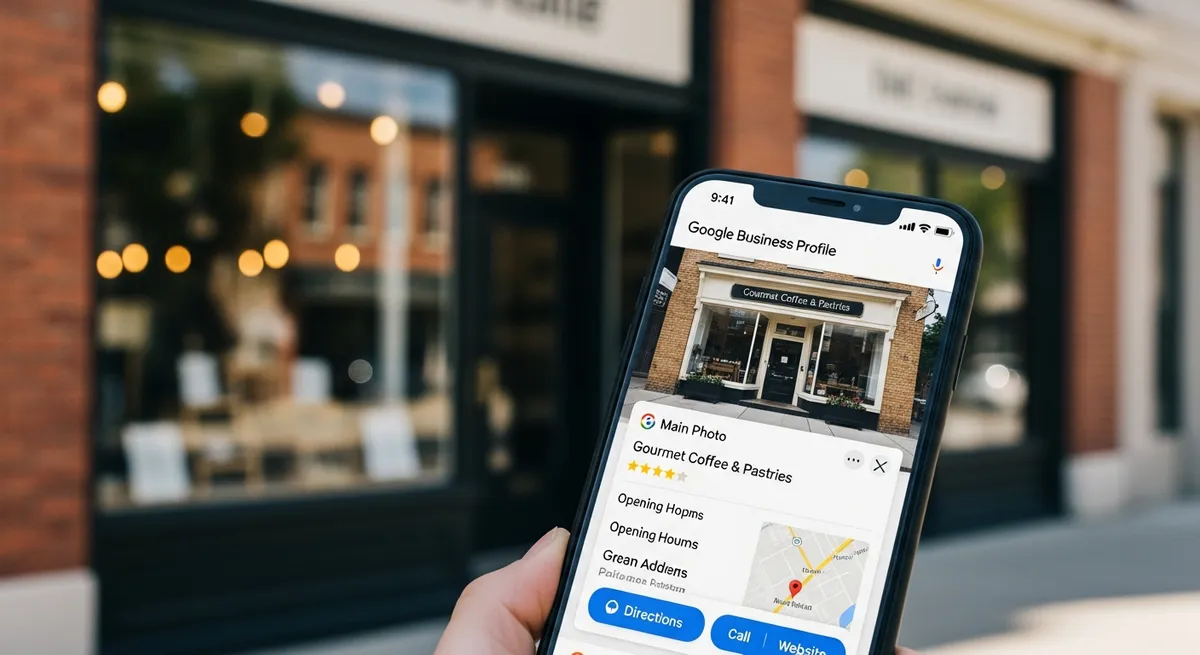
Why GBP Optimization Matters
Your Google Business Profile is the single most important local SEO asset. It controls map pack visibility, which drives 42% of local search clicks. Most businesses use only 40-60% of their profile. The rest is free traffic left on the table.
GBP signals account for 32% of local ranking factors, more than any other category. That means your profile carries more weight than on-page SEO, backlinks, or citations when it comes to showing up in the local 3-pack. For service businesses that depend on local customers, this is where campaigns should start.
We audit dozens of Google Business Profiles every month across home services, healthcare, and professional services. The pattern is consistent: businesses that fully optimize their GBP see measurable increases in calls, direction requests, and website visits within 30 days. The businesses that treat their profile as a "set it and forget it" listing lose ground to competitors who put in the work.
"The single GBP optimization with the biggest impact is primary category selection. Switching to a more specific category increases map pack impressions by an average of 35% within 2-3 weeks."
Dylan Axelson, SEO Director
GBP Optimization Checklist
Profile Basics
- Business name matches real-world name exactly (no keyword stuffing)
- Most specific primary category selected
- 3-5 secondary categories added
- Business description (750 characters, keywords placed naturally)
- Phone number matches website and citations exactly
- Address or service area configured correctly
- Website URL points to the correct landing page
- Business hours are accurate, including holiday hours
NAP consistency matters here. Your name, address, and phone number must match exactly across your GBP, website, and every citation. Even small differences like "St." vs "Street" or a missing suite number can weaken your local rankings. We check this across 50+ directories for every client during onboarding.
Visual Content
- Logo and cover photo uploaded
- 25+ photos (team, work, office, before/after)
- 4+ new photos added monthly
- Video content (60 seconds or less for best engagement)
- Photos geotagged to your service area (see our contractor website guide for photo best practices)
Features and Engagement
- Products/services section completed with descriptions and prices
- All relevant attributes selected
- Q&A section with 10+ self-seeded questions
- Weekly posts published
- Messaging enabled and monitored
- Booking link added (if applicable)
Reviews
- Review generation process in place
- All reviews responded to within 24-48 hours
- Responses include keywords naturally
- Reviews diversified across Google, Yelp, and Facebook
Category Selection
Your primary category is the single biggest factor in which searches trigger your listing. Google uses it to determine relevance. A plumber listed as "Contractor" will not rank for "plumber near me," even if their description mentions plumbing. Getting this right is step one.
| Industry | Primary Category | Secondary Categories |
|---|---|---|
| Plumber | Plumber | Water heater installation, Drain cleaning, Emergency plumber, Bathroom remodeler |
| HVAC | HVAC contractor | AC contractor, Heating contractor, Furnace repair, Duct cleaning |
| Electrician | Electrician | Electrical installation, Lighting contractor, Generator installation |
| Roofer | Roofing contractor | Roof inspection, Gutter cleaning, Siding contractor |
| Painter | Painter | House painter, Commercial painter, Painting contractor |
| Remodeler | General contractor | Home builder, Kitchen remodeler, Bathroom remodeler |
Secondary categories expand the searches you appear for without diluting your primary relevance. We recommend 3-5 secondary categories. More than that can confuse Google about what your business actually does.
"About 60% of new clients have a generic category like 'Contractor' instead of their specific trade. Changing it takes 30 seconds. The impact shows up in 2 weeks. It is the fastest win in local SEO."
Dylan Axelson, SEO Director
Photos and Visual Content
Listings with 100+ photos get 520% more calls than the average listing. That number sounds extreme, but it reflects how much consumers use visual content to evaluate businesses before calling. Photos build trust faster than any written description.
Here is what to upload and how to organize it:
- Team photos: Show the actual people who do the work. Customers want to see who is showing up at their door or office.
- Work photos: Before-and-after shots, completed projects, and in-progress work. These demonstrate quality better than any testimonial.
- Office and vehicle images: Show your workspace and branded vehicles. This signals legitimacy.
- Customer interactions: With permission, share photos of your team working with clients in real settings.
Upload at least 4 new photos every month. Google rewards freshness, and new photos keep your listing looking active to potential customers. We recommend geotagging photos with your business coordinates or service area before uploading. This adds a small but meaningful relevance signal.
Video is underused on GBP. Short clips under 60 seconds that show your team at work, a quick project walkthrough, or a customer testimonial perform well. Google surfaces video content prominently in listing views.
How to Write a GBP Business Description
You get 750 characters for your business description. That is not much, so every word needs to earn its place. Here is how to structure it:
- Lead with what you do and where. "We provide residential plumbing services across the greater Seattle area" is clear and keyword-rich.
- Mention your specialties. If you focus on emergency repairs, water heater installation, or commercial work, say so.
- Include a trust signal. Years in business, number of reviews, or a relevant certification.
- Close with a call to action. "Call today for a free estimate" or "Schedule online at our website."
Avoid keyword stuffing. Google can penalize listings that read like a keyword list instead of a real business description. Write for the customer first, then confirm your target keywords appear naturally.
GBP Posts: How to Use Them Effectively
Google Business Profile posts are short updates that appear directly on your listing. They expire after 7 days, so consistency matters more than perfection. Businesses that post weekly show Google their listing is actively managed, which is a positive ranking signal.
| Type | Best For | Frequency | Include CTA? | Impact |
|---|---|---|---|---|
| What's New | Updates, tips, news | Weekly | Yes | Medium |
| Offer | Promotions, deals | As needed | Yes + link | Medium-High |
| Event | Open houses, events | As needed | Yes | Low-Medium |
| Product | Showcase services | Monthly | Yes | Medium |
Always include a photo, a keyword naturally, and a CTA button. Posts without images get significantly less engagement.
What to Post Each Week
If you are not sure what to post, follow this rotation:
- Week 1: Share a completed project photo with a brief description of the work
- Week 2: Post a seasonal tip relevant to your industry (winterizing pipes, spring HVAC maintenance, etc.)
- Week 3: Highlight a specific service you offer with a link to the service page on your website
- Week 4: Share a customer review screenshot or a team spotlight
This takes 10-15 minutes per week and keeps your listing fresh. We handle GBP posting for all of our local SEO clients as part of the monthly scope.
Review Management: The Complete Process
Reviews are both a ranking factor and a conversion factor. Google uses review quantity, velocity, and keywords in reviews as local ranking signals. Potential customers use star ratings and review content to decide whether to call you or your competitor. You need a system for both earning and managing reviews.
How to Get More Reviews
- Ask within 24 hours of service completion. The closer to the experience, the more likely a customer will follow through.
- Send a direct Google review link. Go to your GBP dashboard, find "Ask for reviews," and copy the short link. Text it or email it directly.
- Make it part of your process. Train your team to ask at the end of every job. The technician, stylist, or therapist who did the work should be the one asking.
- Follow up once. If a customer does not leave a review within 3 days, one polite follow-up is appropriate. More than that is pushy.
We have seen businesses go from 2 reviews per month to 8-10 per month simply by building the ask into their service workflow. No incentives needed. Just a direct ask at the right moment.
How to Respond to Reviews
Respond to every review. Positive and negative. This signals to Google that your business is actively engaged, and it shows potential customers that you care about feedback.
For positive reviews: Thank the customer by name, mention the specific service, and include a keyword naturally. "Thank you, Sarah. We are glad the kitchen remodel turned out exactly how you envisioned it. Our team always enjoys working on projects in the Kirkland area." That response includes the service keyword and location without sounding forced.
For negative reviews: Acknowledge the issue, apologize for the experience, and move the conversation offline. "We are sorry to hear about your experience, Mark. That is not the standard we hold ourselves to. Please call us at (425) 233-8657 so we can make this right." Never argue publicly. Never get defensive. The response is for the hundreds of future customers reading it, not just the reviewer.
Diversify Review Platforms
Google reviews matter most for GBP rankings, but reviews on Yelp, Facebook, and industry-specific platforms (Houzz for contractors, Healthgrades for medical) add credibility and support your overall online reputation. Aim for 70% of review requests going to Google and 30% spread across other platforms.
Q&A Section: Seed It Yourself
The Q&A section on your Google Business Profile is public. Anyone can ask a question, and anyone can answer it. If you do not take control of this section, random people will. We have seen competitor employees leave misleading answers and customers post complaints disguised as questions.
Here is how to manage it:
- Seed 10-15 common questions yourself. Log into a personal Google account (not your business account) and ask questions your customers frequently ask. Then answer them from your business profile.
- Include keywords in both questions and answers. "Do you offer emergency plumbing in Kirkland?" with a detailed answer helps your listing rank for those terms.
- Monitor weekly. Set a reminder to check for new questions. Unanswered questions look bad and leave room for incorrect answers from the public.
- Upvote your own answers. The most upvoted answer appears first. Make sure yours stays on top.
Good Q&A content serves double duty. It helps customers find answers without calling, and it adds keyword-rich content directly to your GBP listing.
Advanced Features
- Products/services section: List every service you offer with a description, price range, and link to the corresponding page on your website. This section appears prominently on mobile and gives Google more content to index.
- Attributes: Fill every relevant attribute. These show as badges on your listing (women-owned, veteran-owned, wheelchair accessible, etc.) and can filter your listing into specific searches.
- Messaging: Enable messaging and respond within 24 hours. Google tracks your response time and may deactivate the feature if you are consistently slow. If you cannot commit to fast responses, leave it off.
- Booking: Connect scheduling tools like Calendly, Square Appointments, or your practice management software. The "Book" button removes friction from the conversion process.
Score Your GBP
| Element | Weight |
|---|---|
| Primary category accuracy | 15% |
| Secondary categories (3-5) | 10% |
| Description (750 chars) | 10% |
| Photos (25+) | 10% |
| Monthly photo additions | 5% |
| Products/services listed | 10% |
| Q&A populated | 5% |
| Weekly posts | 10% |
| Review response rate | 10% |
| Attributes filled | 5% |
| Messaging enabled | 5% |
| Address/service area correct | 5% |
Scoring: Rate each 0-2, multiply by weight. 80-100% = Fully optimized. 60-79% = Gaps to fill. Under 60% = Major work needed.
Most businesses we audit score between 45-65% on their first assessment. The good news is that most of these improvements take less than an hour to implement. The impact on local visibility is typically visible within 2-4 weeks.
Our local SEO services include full GBP management, from initial optimization to ongoing posts, review management, and monthly reporting. Start with a free audit to see where your profile stands.
Free Tools and Resources
These free tools will help you manage and optimize your Google Business Profile. We are not affiliated with any of them.
- Google Business Profile — Manage your listing directly through Google's free dashboard.
- Google Search Console — See how your site performs in local search queries.
Frequently Asked Questions
How do I optimize my GBP for SEO?
Select the most specific primary category, add 3-5 secondary categories, write a full 750-character description, upload 25+ photos, post weekly, respond to all reviews, and complete the products/services section. Consistency matters as much as the initial setup.
How often should I post on GBP?
At least weekly. Posts expire after 7 days. Consistent posting signals an active business and gives Google fresh content to associate with your listing. Most of our clients follow a 4-week rotation of project photos, tips, service highlights, and reviews.
Does GBP affect search rankings?
Yes, significantly. GBP signals are 32% of local ranking factors. A fully optimized profile is the most impactful local SEO action you can take. It influences both map pack rankings and local organic results.
What category should I choose?
The most specific available. "Plumber" beats "Contractor." Primary category has the biggest impact on which searches trigger your listing. Use secondary categories to cover related services.
How many photos should I have?
25+ minimum, with 4+ added monthly. Listings with 100+ photos get 520% more calls. Focus on real work photos, team shots, and before-and-after images rather than stock photography.
How do I get a direct link for Google reviews?
Log into your Google Business Profile dashboard. Click "Ask for reviews" to generate a short link you can text or email to customers. This link takes them directly to the review form, removing friction from the process.
Should I respond to negative reviews?
Always. Acknowledge the issue, apologize, and offer to resolve it offline. Never argue publicly. Your response is read by hundreds of future customers deciding whether to trust your business.
Own your local market
Want to dominate local search results?
Local SEO puts your business in front of customers searching for your services in your area. We build local visibility that compounds over time.